
Discover the most-read stories and insights from our community
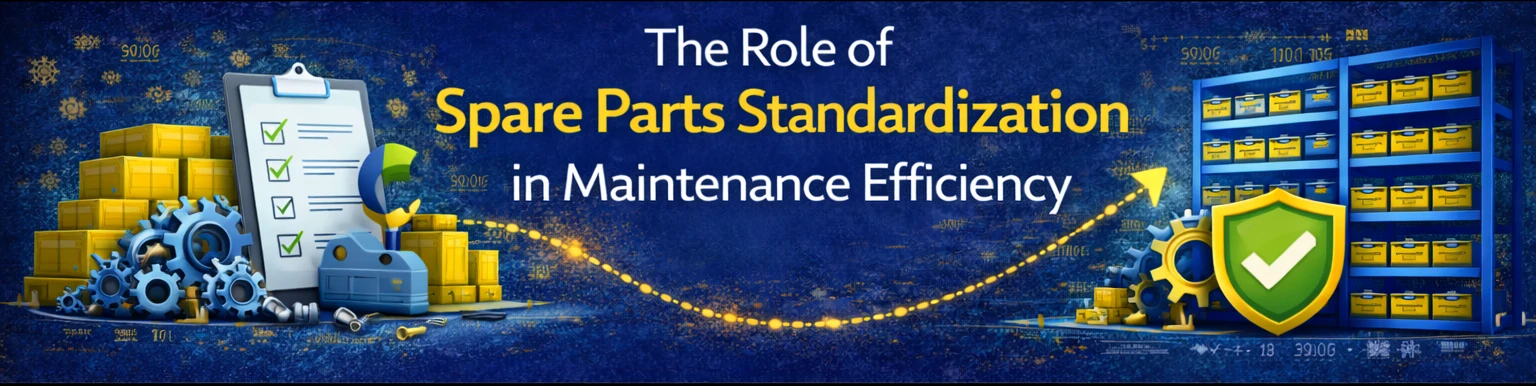
IntroductionImagine reducing your spare parts inventory by 30% while speeding up maintenance response time. That’s the power of spare parts standardization. By consolidating part types and unifying specs across equipment, factories can simplify procurement, reduce costs, and boost uptime.In this post, we’ll explain why standardization matters and how HUB helps manage standardized spare parts lists for lasting efficiency.🔧 What Is Spare Parts Standardization?Standardization means selecting and using common part types across multiple machines or production lines, instead of stocking multiple variations of the same function (e.g., using the same type of sensor or bearing across different machines).✅ Benefits of Spare Parts Standardization - 📉 Lower Inventory Holding Costs: Fewer SKUs mean less stock and tied-up capital. - ⚙️ Faster Maintenance: Technicians can swap parts more quickly with familiar, standardized components. - 🔄 Simplified Procurement: Bulk buying of common parts secures better pricing and supplier terms. - 🛡️ Improved Reliability: Standardized parts are often higher quality and easier to inspect/maintain.❌ Challenges Without Standardization - Overstocking of multiple part variants - Increased chance of stockouts on low-frequency SKUs - Complicated training for maintenance teams - Harder to manage supplier relationships🚀 How HUB Supports Spare Parts Standardization🏷️ 1. Standardization Tagging - Mark parts as “Standard” in HUB to build a centralized, searchable list of approved components.📊 2. Cross-Equipment Mapping - HUB links standardized parts to multiple machines or systems, helping you track where each standard part is used.📦 3. Vendor Consolidation - With fewer part variants, HUB helps you negotiate bulk deals and manage preferred suppliers for standardized items.🔔 4. Alerts for Non-Standard Purchases - HUB flags procurement requests that don’t align with the standardized list, ensuring compliance.💡 Pro TipWhen onboarding new machinery, involve HUB and your procurement team early to align specs with your existing standardized spare parts list.✅ ConclusionStandardizing spare parts is a proven way to cut costs, simplify procurement, and keep maintenance efficient. HUB provides the digital tools you need to manage, enforce, and benefit from a standardized parts strategy.🔗 Start Standardizing with HUB: www.HUBspareparts.com🔗 Book a Demo of HUB’s Standardization Tools: Contact Us
IntroductionYou can’t improve what you don’t measure. That’s why setting the right KPIs (Key Performance Indicators) is essential for optimizing spare parts procurement. For maintenance teams, KPIs are not just performance metrics — they’re the backbone of reliability, uptime, and cost control.In this guide, we’ll walk you through the most important KPIs every maintenance team should track and how HUB’s industrial procurement ecosystem helps you measure and act on them.📊 1. Order Lead TimeDefinition: The time between placing an order and receiving the part.Why it matters: Long lead times can delay maintenance or emergency repairs.How HUB helps: HUB automatically tracks lead times by vendor and item, and notifies users when expected delivery windows are exceeded.🔁 2. Stock Turnover RateDefinition: How many times inventory is sold/used and replenished in a given period.Formula:Stock Turnover = Total Usage / Average InventoryWhy it matters: High turnover means better inventory efficiency. Low turnover can indicate overstocking or unused items.How HUB helps: HUB calculates turnover trends and flags stagnant items that can be resold or reallocated.⚠️ 3. Emergency Purchase RatioDefinition: Percentage of purchases made outside the planned schedule due to urgent need.Formula:Emergency Purchase % = (Urgent Orders / Total Orders) × 100Why it matters: High ratios show a reactive system and cost inefficiencies.How HUB helps: HUB tracks urgent orders separately and helps shift toward predictive planning through usage analysis and automated reorder points.🧾 4. Purchase Order AccuracyDefinition: The percentage of POs fulfilled without errors (correct item, quantity, spec).Why it matters: Reduces rework, downtime, and trust issues with vendors.How HUB helps: All POs go through digital approval workflows and vendor matching, reducing human error and improving accuracy.📅 5. On-Time Delivery RateDefinition: Percentage of parts delivered on or before promised date.Why it matters: Reliable vendors = smoother maintenance scheduling.How HUB helps: HUB tracks vendor performance and delivery history, helping you choose based on data, not guesswork.💵 6. Procurement Cost per OrderDefinition: Total cost incurred per procurement cycle (not just part price).Why it matters: Includes labor, follow-ups, errors, freight — essential for real cost analysis.How HUB helps: HUB generates cost reports factoring all inputs, including logistics, overhead, and time delays.✅ ConclusionSetting KPIs is only half the job — tracking and acting on them is what drives results. With HUB, maintenance teams can monitor key procurement metrics in real time, identify weaknesses, and continuously improve efficiency and uptime.🔗 Start measuring KPIs with HUB : www.HUBspareparts.com🔗 Book a free consultation for KPI setup: WhatsApp Chat
IntroductionNot all spare parts last forever. Items like lubricants, gaskets, adhesives, seals, and certain chemicals have shelf lives, and using them past expiry can lead to failures, safety risks, and compliance issues. Yet, many factories don’t have a system to track these critical dates.In this post, we explain best practices for managing spare parts with expiration dates and show how HUB’s inventory tools keep you compliant and efficient.🛢️ Why Expiration Dates Matter 🛠️ Performance Risks: Expired lubricants or seals may lose their integrity and fail in service. ⚠️ Safety & Compliance: Regulations often require tracking and safe disposal of outdated materials. 💸 Cost of Waste: Ignoring expiry leads to unnecessary scrapping and waste.✅ Best Practices for Managing Expirable Spare Parts 1️⃣ Track Expiration Dates at the Item Level - Each part should be tagged with its manufacture date, shelf life, and expiry date. 2️⃣ Use FIFO (First In, First Out) Method - Always issue the oldest stock first to prevent premature expiry of unused items. 3️⃣ Set Alert Thresholds - Get notified well before items expire so you can plan usage or replacement. 4️⃣ Document Disposal & Compliance - Keep clear records of how expired parts are handled to meet safety and audit requirements.🚀 How HUB Simplifies Shelf Life & Expiry Management ✅ Expiry Date Tagging: Track manufacturing, shelf life, and expiry dates for every stocked part. 🔔 Automated Alerts: Receive notifications when parts approach expiry — ensuring timely use or replacement. 📦 FIFO Tracking: HUB enforces FIFO principles in stock issuance to minimize waste. 📄 Compliance Reporting: Export expiry reports for audits or regulatory checks. ♻️ Waste Reduction Tools: Identify parts at risk of expiry and optimize reorder schedules.✅ ConclusionManaging spare parts with expiration dates isn’t optional — it’s essential for performance, safety, and cost control. HUB makes expiry tracking simple, smart, and proactive, helping your plant avoid failures and meet compliance standards.🔗 Explore HUB’s Expiry Tracking Tools: www.HUBspareparts.com🔗 Book a Demo of HUB’s FIFO System: Contact Us
IntroductionYour maintenance team might be running like clockwork, but if your procurement process is flawed, you’ll still feel the pain — in the form of unexpected costs, inefficiencies, and budget overruns. Poor procurement practices quietly erode your maintenance budget, often without you realizing.In this post, we highlight the top financial leaks in spare parts procurement and explain how HUB’s smart tools plug these gaps.💸 Top 5 Procurement Practices That Drain Budgets 1️⃣ Emergency Orders & Expedited Shipping Buying last-minute leads to premium pricing and sky-high logistics costs. HUB Fix: Predictive reordering tools and alerts keep your stock ready — no more panic buying. 2️⃣ Duplicate Purchases Without centralized visibility, departments may unknowingly order the same part multiple times. HUB Fix: Cross-department visibility and duplicate detection flag overlapping requests before they happen. 3️⃣ Poor Vendor Management Relying on slow or expensive suppliers drains resources and delays maintenance. HUB Fix: Vendor performance dashboards track lead times, reliability, and pricing for smarter vendor choices. 4️⃣ Overstocking & Dead Stock Keeping “just in case” inventory ties up capital and leads to waste. HUB Fix: Dynamic inventory tracking and resale/exchange systems keep stock levels lean and healthy. 5️⃣ Lack of Budget Oversight Without live budget tracking, overspending can spiral before it’s caught. HUB Fix: Real-time spend dashboards highlight budget status and alert you to variances instantly.🚀 HUB: Your Partner in Smart Procurement With HUB’s all-in-one procurement platform, you gain: ✅ Predictive planning ✅ Duplicate request prevention ✅ Smart vendor management ✅ Spend and stock visibility ✅ Budget protection and ROI tracking ✅ ConclusionPoor procurement habits bleed budgets dry — but they’re easy to fix with the right tools. HUB’s platform empowers your team to buy smarter, save money, and keep your maintenance budget on track.🔗 Explore HUB’s Procurement Efficiency Tools: www.HUBspareparts.com🔗 Book a Demo for Smarter Spare Parts Procurement: Contact Us
IntroductionFor decades, min-max inventory control has been a standard method for managing stock: set a minimum level to trigger reordering and a maximum level to cap inventory. But in today’s data-driven world, many ask: Is min-max still effective, or is it outdated?In this post, we’ll break down the pros and cons of min-max strategies and show how HUB modernizes this classic approach with real-time analytics and dynamic adjustments.🧮 What Is Min-Max Inventory Control?- Minimum Level (Min): The point at which a reorder is triggered.- Maximum Level (Max): The cap on how much stock you keep to avoid overstocking.✅ Pros of Min-Max Inventory Control✔️ Simple to understand and implement✔️ Helps prevent stockouts✔️ Works well for predictable, stable demand❌ Cons of Min-Max Inventory Control❌ Static — doesn’t adapt to sudden changes in demand or supply❌ Can lead to overstocking if max levels aren’t reviewed❌ Ignores supplier variability, lead time shifts, and seasonal trends🚀 How HUB Modernizes Min-Max Inventory📊 Dynamic Min-Max AdjustmentsHUB recalculates min and max levels automatically based on real-time usage, supplier performance, and seasonal demand patterns.🔔 Smart AlertsGet proactive notifications when parts approach min or max levels — no need for manual checks.🔄 Integration with Reorder WorkflowsHUB connects min-max triggers directly to your approval and procurement workflows for seamless restocking.📈 Analytics & ForecastingSee historical data and predictive trends to decide when to recalibrate your min-max settings.💡 Best Practice TipCombine HUB’s dynamic min-max system with cycle counting and safety stock monitoring for a more responsive and resilient inventory strategy.✅ ConclusionMin-max inventory control isn’t dead — but it needs an upgrade. HUB brings min-max into the modern era with data-driven insights, automation, and predictive power, keeping your spare parts procurement smart and efficient.🔗 Learn More About HUB’s Inventory Tools: www.HUBspareparts.com🔗 Book a Demo for Dynamic Min-Max Setup: WhatsApp Chat
IntroductionA well-organized warehouse is the backbone of efficient maintenance. When a critical machine fails, every second counts — and wasting time searching for the right spare part can turn a minor issue into a major shutdown. That’s why your warehouse layout and retrieval system must be optimized for speed and accuracy.In this post, we share 10 practical tips to optimize your warehouse layout and explain how HUB’s location tagging system supports lightning-fast spare parts retrieval.🚀 10 Warehouse Layout Tips 1️⃣ Categorize by Function & Equipment - Group spare parts based on their application (e.g., motors, hydraulics, electrical) and the equipment they serve. 2️⃣ Use ABC Analysis for Placement - Place high-usage (A) items near retrieval points, medium (B) items mid-warehouse, and low-usage (C) items in less accessible areas. 3️⃣ Label Everything Clearly - Use large, durable labels and barcode/QR tags on shelves, bins, and racks for fast identification. 4️⃣ Create Wide, Unobstructed Aisles - Ensure easy navigation with space for forklifts or carts — avoid cluttered paths. 5️⃣ Utilize Vertical Space - Install tall shelving units with safe access (ladders/lifts) to maximize space. 6️⃣ Designate Fast-Move Zones - Create a quick-access area near entrances for emergency-use or critical spare parts. 7️⃣ Map the Warehouse Digitally - Maintain a digital floor plan that staff can consult to locate parts instantly. 8️⃣ Implement FIFO Storage Flow - Set up shelves for First-In-First-Out retrieval, especially for parts with expiration dates. 9️⃣ Optimize Lighting & Safety - Bright lighting and safety signage reduce errors and speed up retrieval. 🔟 Train & Standardize Processes - Ensure everyone follows the same retrieval and restocking procedures for consistency.🧠 How HUB Supercharges Warehouse Efficiency 🏷️ Location Tagging: Every part in HUB is linked to its exact warehouse location, down to the rack/bin level. 🔎 Real-Time Search: Search for any part and instantly see its precise location on your warehouse map. 🔔 Smart Alerts: Get notifications for misplaced items or location discrepancies. 📊 Usage & Movement Reports: HUB tracks movement trends to help you redesign layouts for maximum efficiency.✅ ConclusionA smart warehouse layout paired with HUB’s digital tools means faster retrieval, fewer errors, and less downtime. Ready to transform your warehouse? HUB has the tools to guide you every step of the way.🔗 Explore HUB’s Location Tagging System: www.HUBspareparts.com🔗 Book a Demo for Warehouse Optimization: Contact Us


You need to Sign in to view this feature

This address will be removed from this list
 english